
Why Corrugated Box Warping Happens After Printing?
In corrugated box manufacturing, warped sheets after printing are one of the most common production problems. Warping can lead to feeding instability, poor folding accuracy, stacker issues, print misregistration, and increased waste during converting.
For high-speed corrugated production lines, even slight board deformation can reduce efficiency and create major downstream problems.
Understanding why corrugated box warping happens after printing is the first step toward improving print quality and production stability.
What Is Corrugated Board Warping?
Warping occurs when corrugated sheets bend or curve instead of remaining flat after printing or converting.
Common types of warp include:
Upward warp
Downward warp
Side warp
Twist warp
Warped corrugated sheets can affect:
Flexo folder gluer feeding
Automatic stacker performance
Bundle alignment
Folding precision
Palletizing quality
In severe cases, warped sheets may cause machine jams or unstable stacking during high-speed production.

Main Causes of Corrugated Box Warping After Printing
1. Uneven Moisture Absorption
One of the biggest causes of corrugated warp is moisture imbalance.
During flexographic printing, water-based ink introduces moisture to one side of the board. If moisture absorption is uneven, the paper fibers expand differently across the sheet.
This causes the board to bend or curl.
Factors that increase moisture-related warp include:
Excessive ink coverage
High water content in ink
Poor drying conditions
Thin liner paper
High humidity environments
2. Improper Drying After Printing
If printed sheets are stacked before sufficient drying time, residual moisture can remain trapped inside the corrugated board.
This often creates:
Downward curl
Edge lifting
Sheet instability during stacking
High-speed production lines especially require balanced drying systems to maintain board flatness.
Proper airflow and temperature control are important for reducing post-print warp.
3. Paper Quality Differences
Different liner and medium papers react differently to moisture and tension.
Low-quality or inconsistent paper can create:
Uneven expansion
Poor dimensional stability
Increased warp during converting
Board combinations with large differences between top and bottom liner weights are more likely to warp after printing.
4. Excessive Machine Pressure
Incorrect pressure settings on flexo printing units can compress the corrugated flute structure.
Over-compression may damage board rigidity and create deformation after printing.
Common causes include:
Excessive print impression pressure
Improper feed roller settings
Uneven nip pressure
Maintaining proper machine calibration is essential for stable corrugated production.
5. Environmental Humidity Changes
Corrugated board is highly sensitive to environmental conditions.
Rapid humidity changes between:
warehouse storage
printing area
converting area
can cause the paper fibers to expand or shrink unevenly.
In tropical and coastal regions such as Australia or Southeast Asia, humidity control becomes especially important.
How to Reduce Corrugated Board Warping
Improve Ink and Moisture Control
Reducing excessive water usage during printing can significantly improve board flatness.
Recommended actions:
Optimize ink viscosity
Reduce unnecessary ink coverage
Monitor water balance carefully
Use proper drying systems
Use Stable Corrugated Board Materials
Selecting consistent paper quality helps minimize warp risk.
Important considerations:
Balanced liner weights
Moisture-controlled paper storage
Consistent flute quality
Maintain Proper Machine Settings
Modern corrugated converting equipment should maintain stable pressure throughout production.
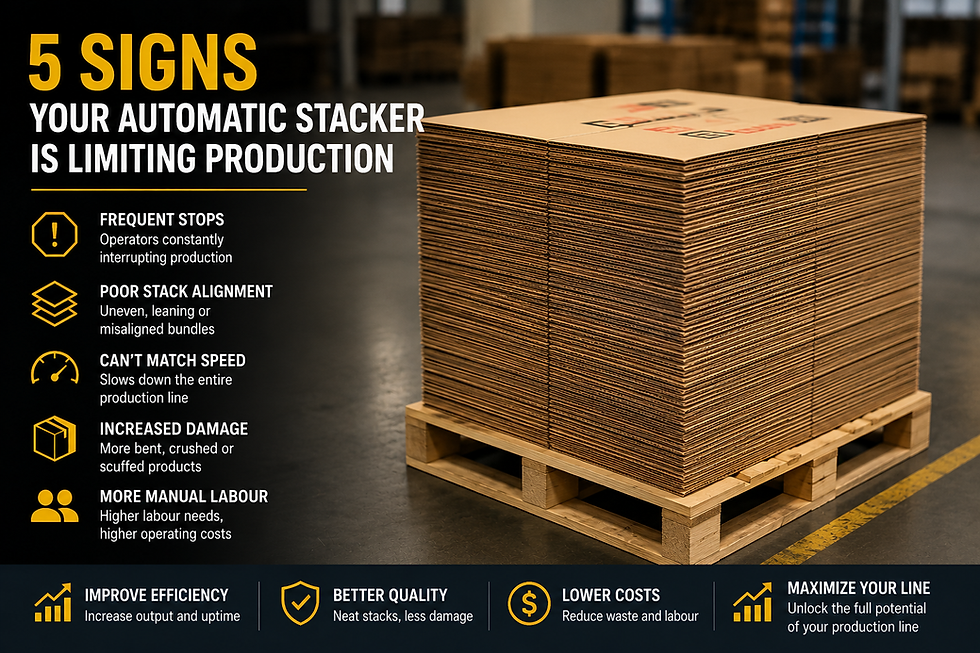
Upgrade Stacking and Automation Systems
Warped sheets are more difficult to handle at high speed.
Advanced automatic stackers and corrugated automation systems can improve:
sheet alignment
bundle stability
downstream feeding consistency
Modern inline stackers are designed to better manage slight board deformation while maintaining production efficiency.
Final Thoughts
Corrugated box warping after printing is usually caused by a combination of moisture imbalance, paper quality, machine settings, and environmental conditions.
By improving printing control, drying efficiency, and automation stability, corrugated plants can significantly reduce waste and improve production consistency.
As production speeds continue increasing across the corrugated packaging industry, controlling board flatness becomes even more critical for efficient converting operations.
FAQ
Why do corrugated sheets curl after printing?
The most common reason is uneven moisture absorption from water-based flexo inks, causing one side of the board to expand more than the other.
Can warped corrugated sheets damage machines?
Severely warped sheets can create feeding instability, jams, poor stacking, and inaccurate folding during high-speed production.
Does humidity affect corrugated board flatness?
Yes. Corrugated board is highly sensitive to humidity changes, especially in tropical or coastal climates.
Can automation reduce problems caused by warped sheets?
Modern inline stackers and automated handling systems can improve sheet control and reduce production instability caused by minor warp conditions.
Comments